Celebrate your love story
Plan a memorable Anniversary with less stress. FreeInviteLinks helps you create beautiful invitations and manage every detail effortlessly.
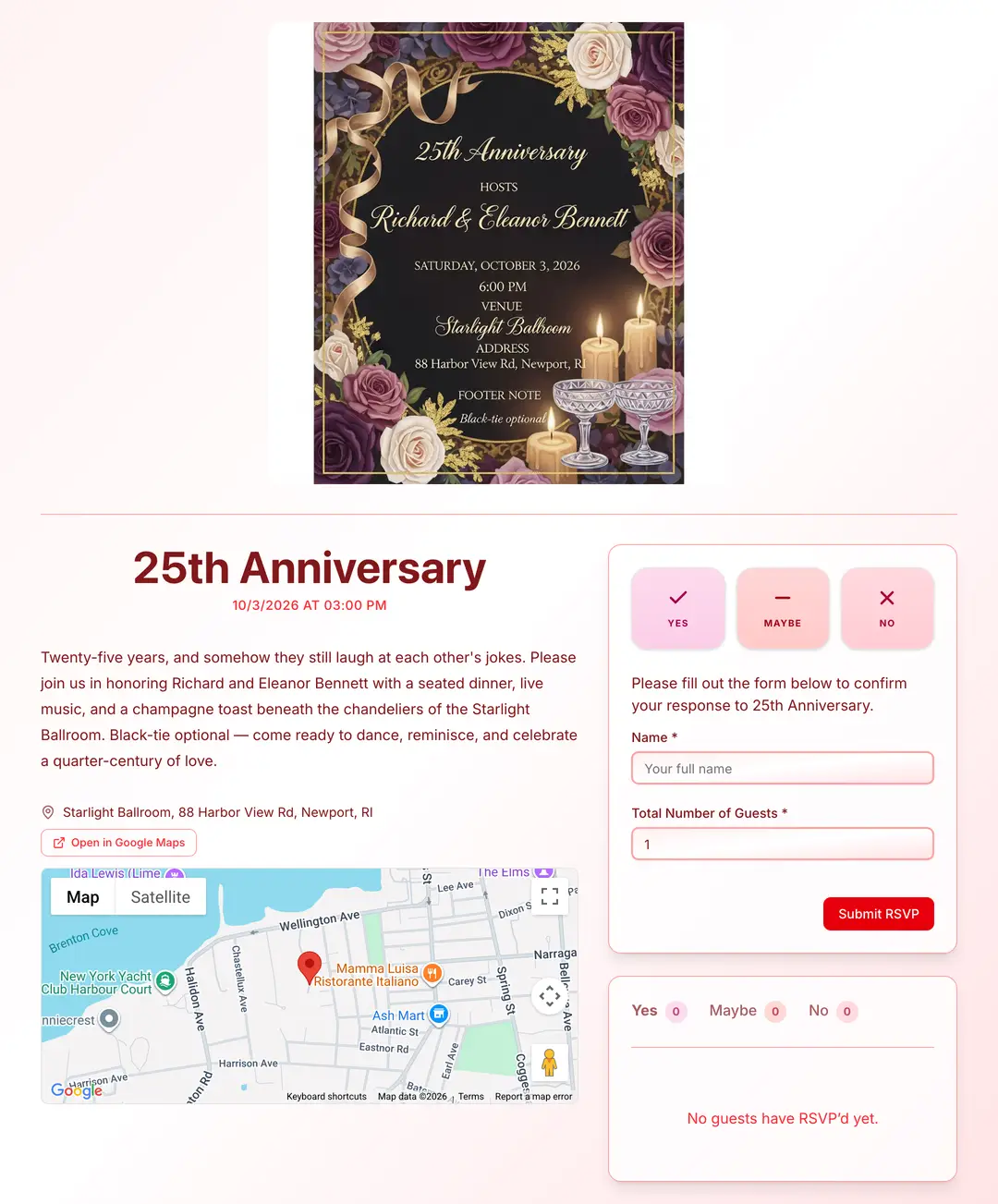
From blank page to shareable RSVP link in 4 steps
No design skills. No downloads. Just a clean, mobile-friendly Anniversary page your guests will actually RSVP to.
Build Your Event Page
Add your Anniversary essentials fast: title, date, event details, location, and a standout cover image.
Choose Your Color Theme
Pick a theme for your Anniversary page and dial in the look with clean, modern styling.
Edit Your RSVP Settings
Personalize the RSVP form fields and settings to match your Anniversary and share it anywhere with the custom link.
Track RSVPs in Real Time
Guests respond from any device while you monitor attendance instantly on your Anniversary dashboard.
Thousands of hosts already ditched the spreadsheet
Stop chasing replies over text. Your Anniversary guest list, organized automatically.
Frequently asked questions
How many guests is typical for an anniversary party?
Milestone anniversaries (25th, 50th) often have 40–80 guests. Smaller celebrations with close friends and family might be just 10–20 people. Your venue and budget typically set the limit.
How do I plan a surprise anniversary party?
Keep the event off shared calendars, use a dedicated email for RSVPs, and ask guests to keep it confidential. FreeInviteLinks lets you manage all responses discreetly without the guest of honor knowing.
What should an anniversary party RSVP collect?
Attendance confirmation, guest count, and dietary restrictions at minimum. You can also add a custom field inviting guests to share a favorite memory or message for the couple.
Your Anniversary deserves better than a group text
Build a beautiful Anniversary page in minutes, share one link, and watch RSVPs land in real-time. No app for you or your guests.
Planning a different event?
FreeInviteLinks works for every kind of gathering. See how it handles your event from invites to RSVPs.